Starting from version 10.77 of November 2, 2010, a new module is included in the QD Professional program, which checks the CCD using the QDRemoteTest WEB service. The module includes original algorithms that implement a thorough control of the CCD and visualization of errors found.
It is important that your data is not entered into any intermediate databases during the Customs Cargo Declaration verification. We guarantee complete confidentiality of both the data sent for verification and the results returned. Data is exchanged using the SOAP Internet protocol.
The QDRemoteTest module for checking the TIR can be used in a similar way to the standard TIR check module included in QD Professional
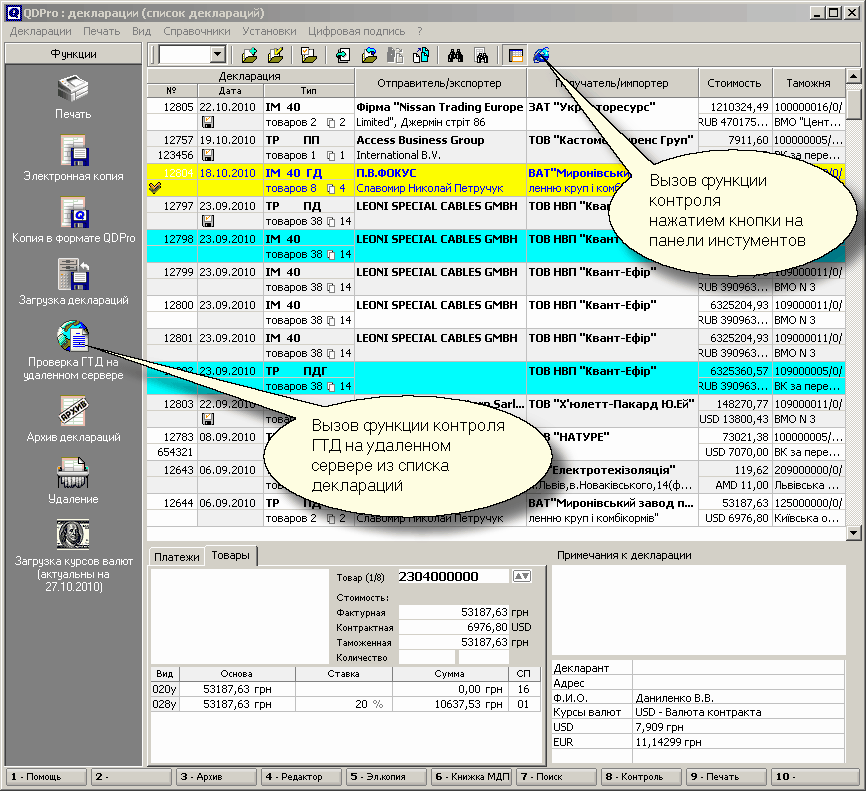
The CCD control function on the remote server can be called from the "List of Declarations" window (see the figure below)
а) By clicking the button on the function panel located in the window on the left
б) By pressing the button on the top control panel
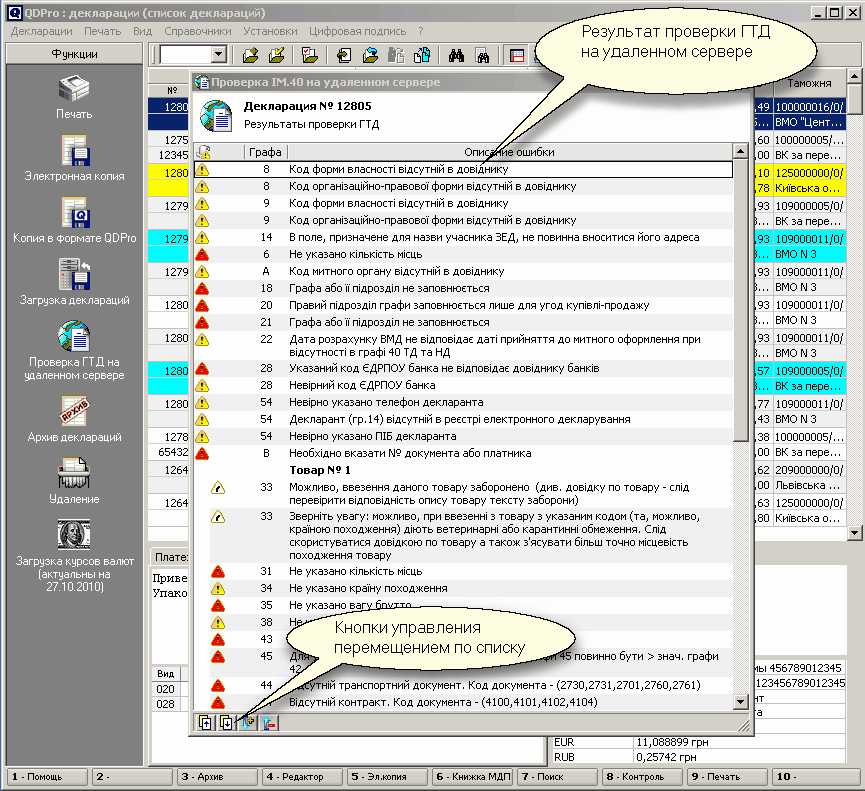
The external presentation of the results of the remote CCD inspection is similar in format to the presentation of the data in the standard CCD control window.
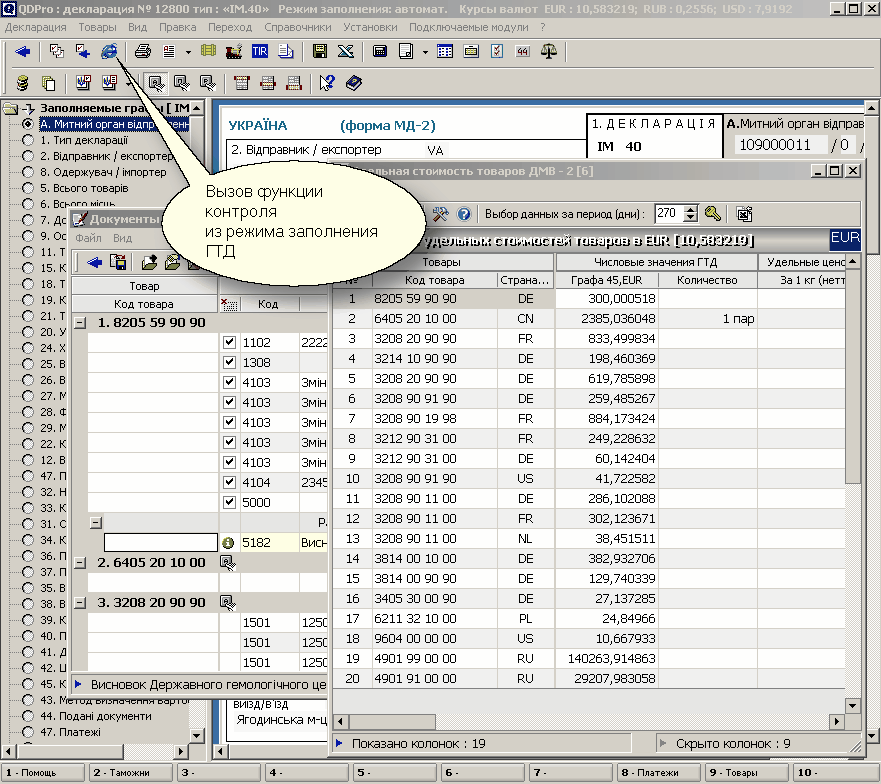
The remote control function is provided in the window for filling out the Customs Cargo Declaration.
The following figure shows the button that can be used to start the remote control mode.
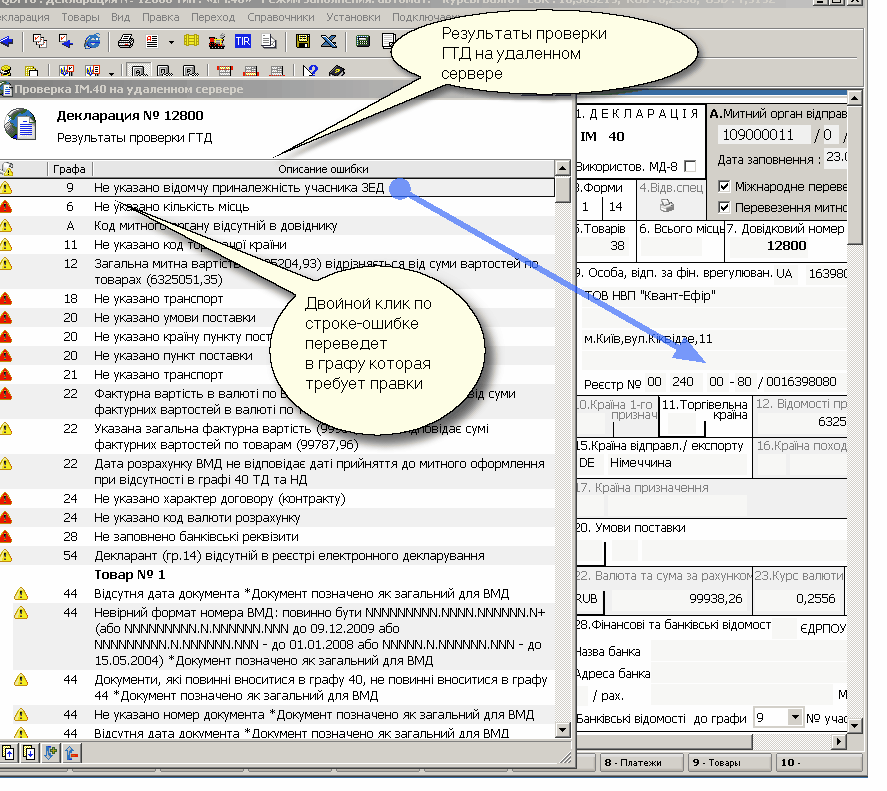
When working with the new module, the result of remote control of the Customs Cargo Declaration is displayed in a separate window. A feature of this window is the ability to move to the column of the declaration that contains an error or data that needs to be clarified (similar to the regular window for checking the customs declaration). To move to the column of the Customs Cargo Declaration containing an error, it is enough to position yourself in the window with the result of the Customs Cargo Declaration check on the line with the description of the error (see the figure below).
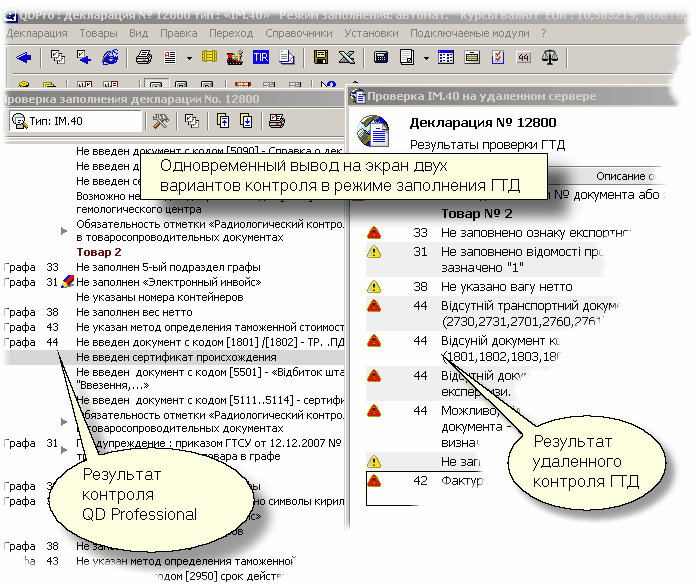
It is also possible to simultaneously run a regular Customs Cargo Declaration check using the QD Professional software and a remote Customs Cargo Declaration check using the QDRemoteTest Web service (see the figure below). In this case, it is possible to conduct a comparative analysis of the detected errors in order to further eliminate them in the declaration to be filled out.